Web Design and Optimization: Why Mobile & Cross-Platform Optimization Is Non-Negotiable

Picture of Rick Moore

Rick Moore

Owner & Founder
Date Published: 5/19/2026

Web Design and Optimization Is Extremely Important for Small Business Success.

Table of Contents

Introduction to Web Design and Optimization

Welcome to the chaotic but oddly fascinating world of web design and optimization. Think of your website as your business’s virtual handshake, firm, confident, and hopefully not sweaty. If your site is still rocking 2010 vibes, complete with tiny text and images that load slower than dial up, it’s time for a serious upgrade.

Web design and optimization isn’t just about making things pretty (though, let’s be honest, that helps). It’s about making your website functional, fast, and so user friendly that even your tech averse aunt could navigate it without a meltdown. And optimization? That’s just a fancy word for “making your site do what it’s supposed to without breaking a sweat.”

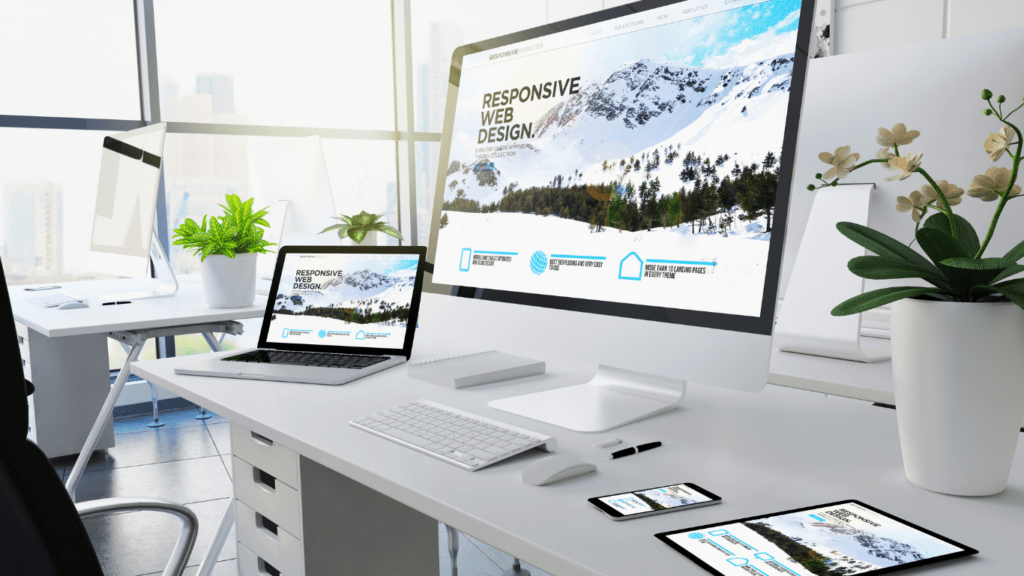
But here’s the kicker: it’s not enough to just slap on a trendy template and call it a day. Your website needs to be as adaptable as yoga pants, stretching seamlessly across smartphones, tablets, and desktops. Ignore this, and you’re practically begging visitors to leave faster than they came. The goal is simple: keep your users happy, your load times quick, and your design modern enough to avoid looking like a digital dinosaur.

So, buckle up (not literally, we said no clichés). Whether you’re here to fix the basics or dive deep into the nitty gritty, it’s time to show your website some much needed love. After all, no one ever won over customers with a clunky, outdated homepage.

Mobile Optimization: A Must for Success

A Mobile Friendly Website is a Must to Achieve Full Optimization.

Let’s be real, if your website isn’t mobile friendly in 2026, it’s basically the digital equivalent of a VHS tape. People are glued to their phones these days, scrolling through memes, shopping, and occasionally checking work emails (emphasis on “occasionally”). If your site can’t keep up, it’s getting left behind faster than last year’s trends.

Here’s the thing: mobile users aren’t patient. If your text requires pinch zooming, your buttons are playing hide and seek, or your images load at sloth speed, they’ll be gone before you can say “responsive design.” And trust me, they’re not leaving glowing Yelp reviews on their way out.

To keep visitors from fleeing, make sure your website is optimized for the small screen. Font sizes should be big enough to read without a squint, navigation should be so simple it’s practically foolproof, and buttons need to be easy to tap, even if someone’s trying to click with their thumb while juggling coffee and car keys. Oh, and don’t forget speed. Slow loading pages are like watching paint dry, and no one has the patience for that.

The good news? Getting mobile optimization right doesn’t require a rocket scientist. Use responsive frameworks, test on different devices, and prioritize what your audience actually cares about. It’s the little tweaks that make a big difference and keep your users happily scrolling instead of rage quitting your site.

Cross-Platform Optimization Strategies

To Achieve Full Web Design Optimization, Your Website Must Be Responsive Across All Platforms.

Let’s face it, people are visiting your website on everything from a cracked phone screen to a giant desktop monitor that could double as a home theater. Your mission? Make sure your website looks fantastic on all of them. Cross-platform web design and optimization is all about consistency. Nobody wants to click on a site that looks polished on a laptop but turns into a jumbled mess on a tablet. That’s a fast track to frustration, and frustrated visitors don’t stick around.

Start with responsive design tools like Flexbox or Grid. These handy helpers ensure your layout adapts effortlessly, no matter the device. And don’t forget to check your font sizes, images, and navigation menus across different screens. A button that’s perfect on a computer could become a pixelated nightmare on a smartphone. The devil is in the details.

Oh, and let’s talk testing. No, you don’t need a NASA sized budget or a room full of gadgets. Free online tools can help you preview your site on various devices, and friends and coworkers are usually happy to point out what’s broken (too happy, sometimes).

At the end of the day, cross-platform web design and optimization is about keeping every visitor, on every screen, happy. Because let’s be honest, no one should have to flip their phone sideways just to read your About page.

The Role of A/B Testing in Website Design

It Is Important to Test Different Layouts During Web Design Process.

Think of A/B testing as your website’s version of trying on outfits before a big event, you wouldn’t just guess and hope for the best, right? (Unless you’re a fan of unnecessary embarrassment.) Instead of committing to one design or layout and praying it works, A/B testing lets you compare two versions of something, like headlines, images, or button placements, and see which one gets your visitors to actually do something, like click that “Buy Now” button or sign up for your newsletter.

Here’s the beauty of it: You’re not relying on guesswork or what “feels right.” You’re using actual data to make decisions. Maybe swapping out that boring gray button for a bold red one increases your clicks by 20%. Or maybe your visitors hate scrolling past that oversized banner you thought was genius. With A/B testing, you’re basically asking your audience, “Hey, which one of these works for you?”, and they’re giving you the answer in real time.

The trick? Start small. Don’t change five things at once and then wonder why nothing makes sense. Pick one element to test, let it run, and let the numbers do the talking. It’s like having a cheat sheet to understand your audience, except you’re the one writing the answers.

Zero-Based Site Redesigns for Better Performance

Sometimes a Website Redesign is Best for Optimization.

Sometimes, patching up your web design and optimization is like trying to fix a leaky boat with duct tape, it works for a bit, but eventually, you’re just sinking slower. That’s where a zero-based site redesign swoops in like the hero you didn’t know you needed. Instead of layering more “fixes” on top of an already messy foundation, this approach lets you start from scratch, focusing only on what your site truly needs. No fluff, no unnecessary bells and whistles, just the essentials that actually serve your goals (and don’t send your visitors running for the exit).

Think of it like cleaning out your junk drawer: it’s amazing how much garbage you’ve accumulated over the years. Pages nobody visits? Features that seemed cool in 2015 but now just confuse everyone? Toss them. A zero-based redesign is your chance to rebuild smarter, not harder. It’s all about function and simplicity, keeping what works, ditching what doesn’t, and making sure every element has a purpose.

The best part? This doesn’t have to drain your wallet. Focus on tools and layouts that are proven to work, rather than chasing the latest expensive trend. After all, your website isn’t a museum piece, it’s a workhorse that should pull its weight. So, roll up your sleeves and start fresh. You’ll thank yourself later.

Competing with Larger Competitors on a Budget

The Right Marketing Strategies Can Help You Compete with Bigger Brands.

Let’s be honest, going toe to toe with big budget competitors can feel like bringing a spoon to a knife fight. But here’s the secret: you don’t need a corporate sized wallet to make an impact; you just need to get scrappy. First off, ditch the idea that more is always better. Focus on creating a clean, streamlined site that loads fast and gets straight to the point. Fancy animations and excessive features might look cool, but they’re also the first things to break or slow down your site.

Next, embrace the power of free tools. Platforms like Google Analytics and Search Console aren’t just for tech wizards, they’re like having a cheat sheet to understand what’s working and what’s not. Need visuals that don’t scream “budget cuts”? Canva’s your new best friend. And speaking of friends, don’t underestimate the value of word of mouth, social media is a cost-effective way to connect with your audience, so put your personality out there and let them do some of the marketing heavy lifting for you.

Oh, and don’t forget about content. A helpful blog post or guide can drive traffic without costing you a dime (well, except for your time, but we both know you’re already procrastinating). With some creativity and a little hustle, you can hold your own without draining your piggy bank.

Conclusion: Next Steps for Small Business Owners

Alright, so here’s the deal: your web design and optimization isn’t going to magically fix itself while you binge watch your favorite series. If you want it to actually work for you, it’s time to take action. Start small, tweak what’s broken, like that “Contact Us” button hiding in plain sight or images that take a century to load. Then, think bigger. Could your site use a full reboot? Probably, if it’s still rocking Comic Sans or looks like it belongs in a museum.

Don’t overthink it. Focus on making your site fast, easy to use, and, dare we say, pleasant for visitors. Tools like free analytics can show you what’s driving traffic (or scaring people away). And remember, you don’t need a PhD in web design to make meaningful improvements. Little updates, like mobile friendly tweaks or simplifying navigation, can go a long way.

The goal? Build a site that doesn’t just look good but actually gets the job done, whether that’s boosting sales, growing your email list, or finally getting those five-star reviews. You’ve got the tools, the know-how, and maybe even a tiny bit of spare time (we won’t tell anyone). So, roll up your sleeves and make it happen.

For more tips on web design and optimization, be sure to read our following related articles.  Also, don’t forget to check out our most asked questions with answers on web design and optimization.

FAQs

Creating an effective website involves combining design and functionality to deliver a seamless online experience. From visual appeal to usability, every detail plays a role in attracting and retaining visitors. Optimizing your website ensures it performs well, loads quickly, and ranks higher in search results, helping you reach more potential customers. A strategic approach to design and optimization can make a significant impact, especially when resources are limited, allowing you to build a strong foundation for online growth.

Focus on creating a smooth and intuitive experience for your visitors. Simplify your layout to ensure users can quickly locate key information without feeling overwhelmed. Use clear headings and well-organized menus to make navigation effortless. Prioritize fast loading times to reduce frustration and keep visitors engaged. Incorporate accessible design elements, such as readable fonts and sufficient color contrast, to ensure your site is user friendly for everyone. Regularly gather feedback to identify areas where the experience can be refined.

Focus on creating a visually balanced design with easy-to-read text and intuitive navigation. Ensure mobile responsiveness so your site looks great on any device. Use compelling images and clear, actionable buttons to guide users effectively.

Incorporate relevant keywords naturally into your content to align with search intent. Craft engaging page titles and descriptions that accurately reflect your offerings. Use proper heading structures (H1, H2, etc.) to organize your content effectively. Optimize images by compressing files and adding descriptive alt text. Ensure your website is mobile friendly and loads quickly, as search engines prioritize user friendly experiences. Regularly update your site with fresh, valuable content to keep it relevant and appealing to both users and search engines.

Platforms like Canva and Squarespace offer budget friendly options for creating a polished website without needing advanced technical skills. Many of these tools provide predesigned templates and drag and drop functionality, making customization simple. Additionally, free resources like Google Fonts and Unsplash can enhance your site’s design with quality typography and imagery, helping you achieve a professional look without overspending.

Use analytics tools to track key metrics like traffic, user behavior, and conversion rates. Monitor loading speeds and mobile performance to ensure a smooth experience. Pay attention to engagement data, such as time spent on pages, to understand what resonates with visitors. These insights help identify strengths and areas needing improvement, guiding your optimization efforts effectively.


Leverage your business’s agility to adapt quickly to customer needs. Utilize personalized marketing strategies to connect with your audience and focus on providing exceptional service to create loyal customers who can advocate for your brand.

Related Articles